About Me

Hey, I'm Aaron Hastings — Builder of Worlds, Tamer of Bugs, and Code-Slinger with a passion for bringing ideas to life. Whether it's a sleek Desktop App, an engaging Website, or a Vast Game World, I believe great development is where creativity and precision meet. I'm a polyglot programmer who works primarily in C++, Python, JavaScript, and Unreal Engine, but what really drives me is solving problems and telling stories through technology. Always learning, Always Building — I'm excited to connect with teams who aren't afraid to dream Big and build even Bigger..
My Projects
E.L.L.I. (Multi-LLM Lab and Agent Orchestrator)
Elli is a personal AI operating environment designed to turn artificial intelligence from a simple chatbot into a true productivity system. Built around workflows, scoped tools, and persistent memory, Elli allows users to work with AI inside real project environments instead of isolated chat windows. Unlike traditional assistants tied to a single model, Elli separates intelligence from the model layer, allowing her to connect to any compatible AI API. This means Elli can coordinate multiple models, compare responses, and retain knowledge across threads, projects, and long-term memory systems—creating a much more informed and adaptable assistant. Workflows define the active project context, controlling which files, applications, and tools are accessible to the AI. This keeps interactions organized, secure, and focused on the task at hand. On top of this system, Elli maintains a structured recall engine that preserves canonical knowledge and project history, enabling continuity and smarter decision-making over time. Together, these components transform AI from a conversational tool into a model-agnostic orchestration layer capable of managing tools, coordinating multiple AI systems, and supporting real development workflows. Core Features: 🧠 Persistent Recall System — maintain long-term memory across conversations, projects, and pinned canonical knowledge 🔁 Multi-Model AI Lab — connect to multiple AI APIs, compare responses, and select the best output 📁 Workflow-Based Project Scopes — define which files, apps, and tools the AI can access for each project 🧩 Tool & Agent Orchestration — coordinate agents and models to perform complex multi-step tasks 📌 Canonical Memory Pinning — save important responses, knowledge, or decisions into permanent recall 🧳 Local Project Context — interact with real files and development environments rather than isolated chats Why I Built It: Elli represents the convergence of three of my projects into a single system architecture. • YoChet → evolved into Elli’s conversational AI core • CodeVault → redesigned as Elli’s long-term Recall memory system • TaskDeck → integrated as the workflow and tool orchestration layer The result is a modular AI platform designed to demonstrate advanced system architecture, model-agnostic AI orchestration, and persistent memory-driven productivity tools.
Coming Soon!.CodeVault (Desktop Application)
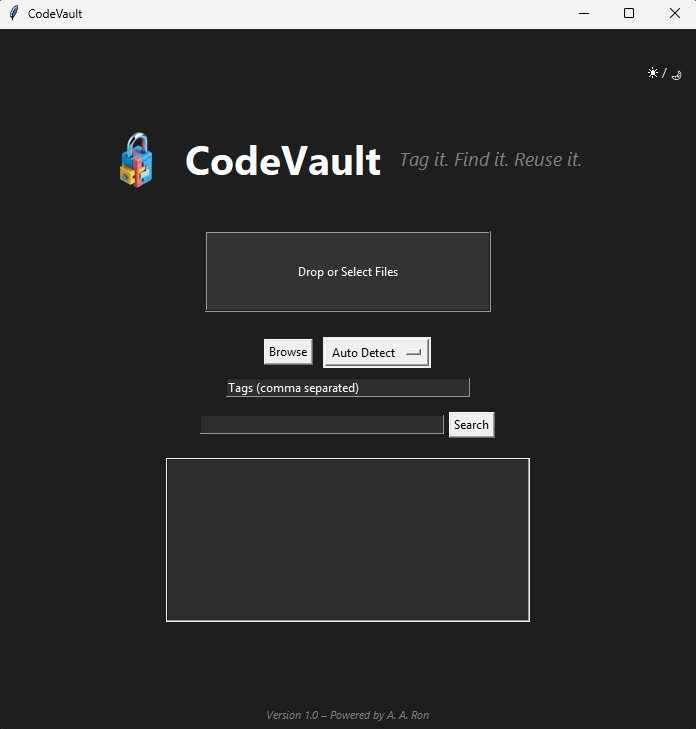
CodeVault is a language-aware, searchable archive built to help developers store, tag, and instantly retrieve reusable code snippets and full project files. With its intuitive drag-and-drop UI, smart search-by-tag filtering, and support for multiple programming languages, CodeVault keeps your best solutions always within reach. No more digging through old projects or hunting GitHub gists—just tag it, find it, reuse it! Core Features: 📁 Drag-and-drop file input — quickly archive individual files or full projects 🔍 Instant search — filter by language, category, or custom tags 🧠 Language detection — auto-categorizes based on file extension 🏷️ Tag editor — modify tags anytime with an intuitive interface 🎨 Dark mode + UI enhancements using Pillow for custom icons and previews 🧳 Portable EXE — compiled with PyInstaller for seamless distribution 🧩 Preview pane — hover for quick code peeks before opening Why I Built It: Reusing code is smart—but finding it when you need it is often a time sink. CodeVault is my solution for organizing personal and team code libraries in one fast, searchable interface.
Download CodeVaultTaskDeck (Desktop Application)
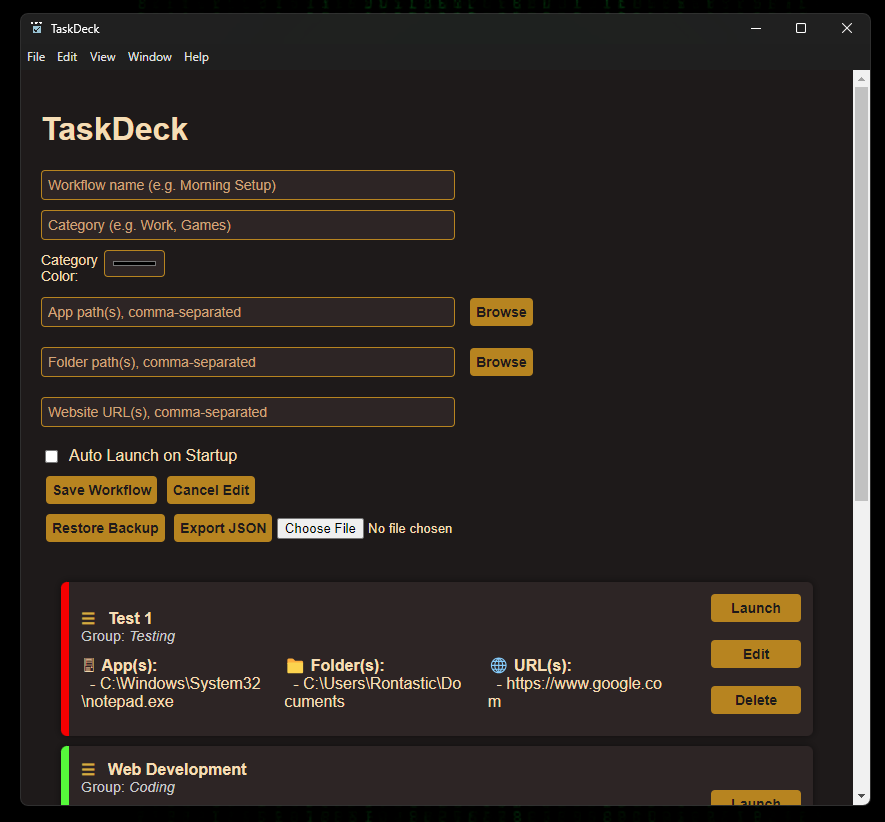
(Proof Of Concept) TaskDeck is a powerful and intuitive desktop productivity app designed to launch grouped applications, folders, and websites with a single click. Built using Electron, Users can create and manage custom workflows, making daily routines fast, organized, and repeatable. Each workflow can include: 🖥️ Local Apps (.exe file paths) 📁 Folders (for opening dev folders or project directories) 🌐 URLs (to quickly open relevant sites or tools) Core Features: ✅ Drag-and-drop creation and reordering of workflows 🧱 Workflow grouping with optional color tags 🧠 Persistent storage using LocalStorage and auto-saving JSON backup 🧭 Tray mode – runs quietly in the background for fast access 🖱️ Single-click launching of entire grouped stacks 📂 Import/export workflows to share across systems 🖼️ Icon selection per workflow and per item 🎨 Dark theme + UI enhancements for ease of use Why I Built It: I wanted a tool that could help me start up entire project environments with a single click—launching my IDE, docs, folders, and reference sites all at once. TaskDeck replaces repetitive startup routines with customizable, shareable workflow decks.
Download TaskDeckDockly (Desktop Application)
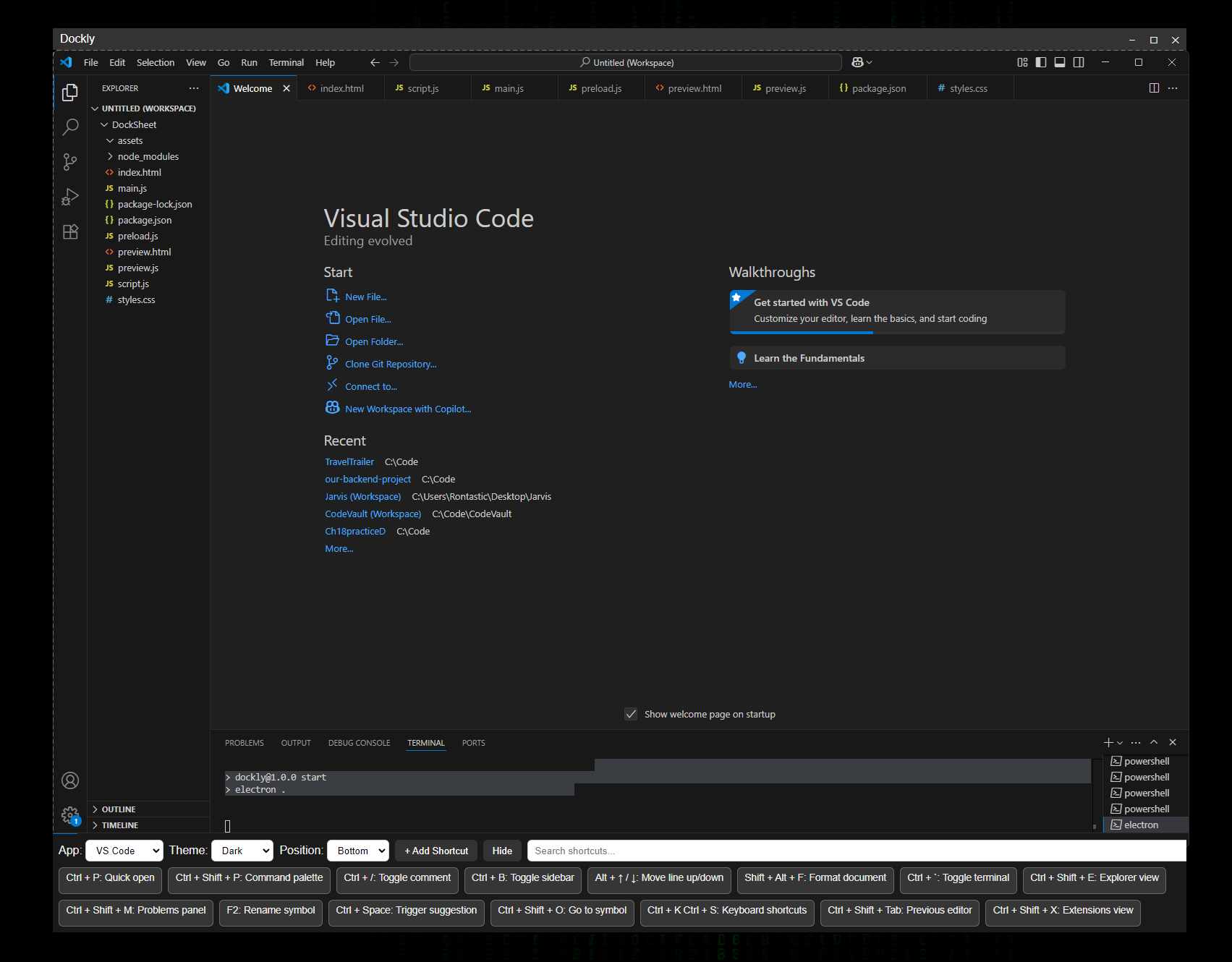
(Under Construction) Dockly transforms your desktop experience with instant, app-aware shortcuts—right where you need them. With a single hotkey, Dockly docks a dynamic overlay to any application, displaying a tailored cheat sheet of keyboard shortcuts, actions, and commands for that specific app or window. Designed for developers, creators, and productivity-focused users, Dockly replaces scattered documentation and memorized hotkeys with real-time, context-aware controls. Core Features: ⚡ Hotkey-activated shortcut dock — tailored to the active application 📌 Dock positioning — top, bottom, left, or right for seamless layout integration 🧠 Smart context-awareness — shortcuts change based on the focused app 🧲 Snap-to-edge UI — keeps Dockly out of the way, but always accessible 🎛️ Fully customizable shortcuts — define your own keys, descriptions, and layouts 🔁 IPC-driven architecture — efficient communication between Dockly and the system 🪟 App-detection via Node-Window-Manager — no guesswork, just precision Why I Built It: Every app has its own set of hotkeys—but remembering them across tools is a chore. Dockly solves that by becoming your always-available shortcut assistant, empowering you to work faster and smarter without leaving your flow.
Download DocklyEternal Echos (Unreal Engine 5)
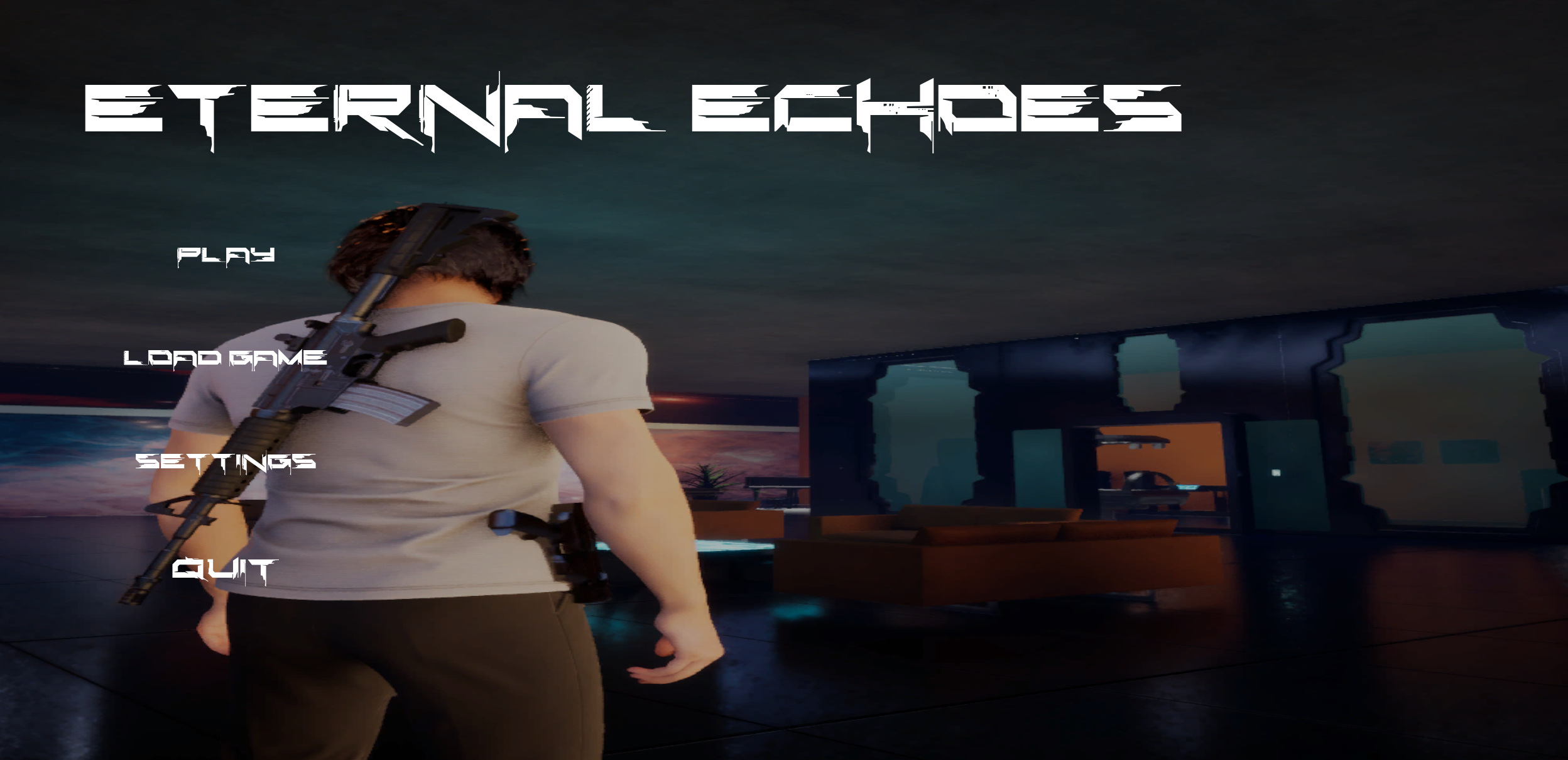
Eternal Echos is an open-world RPG third-person shooter, featuring drivable cars, flying ships, interactable objects, and expansive exploration. Built entirely using Blueprints in Unreal Engine 5.4.
The Keymaster (Unreal Engine 5)
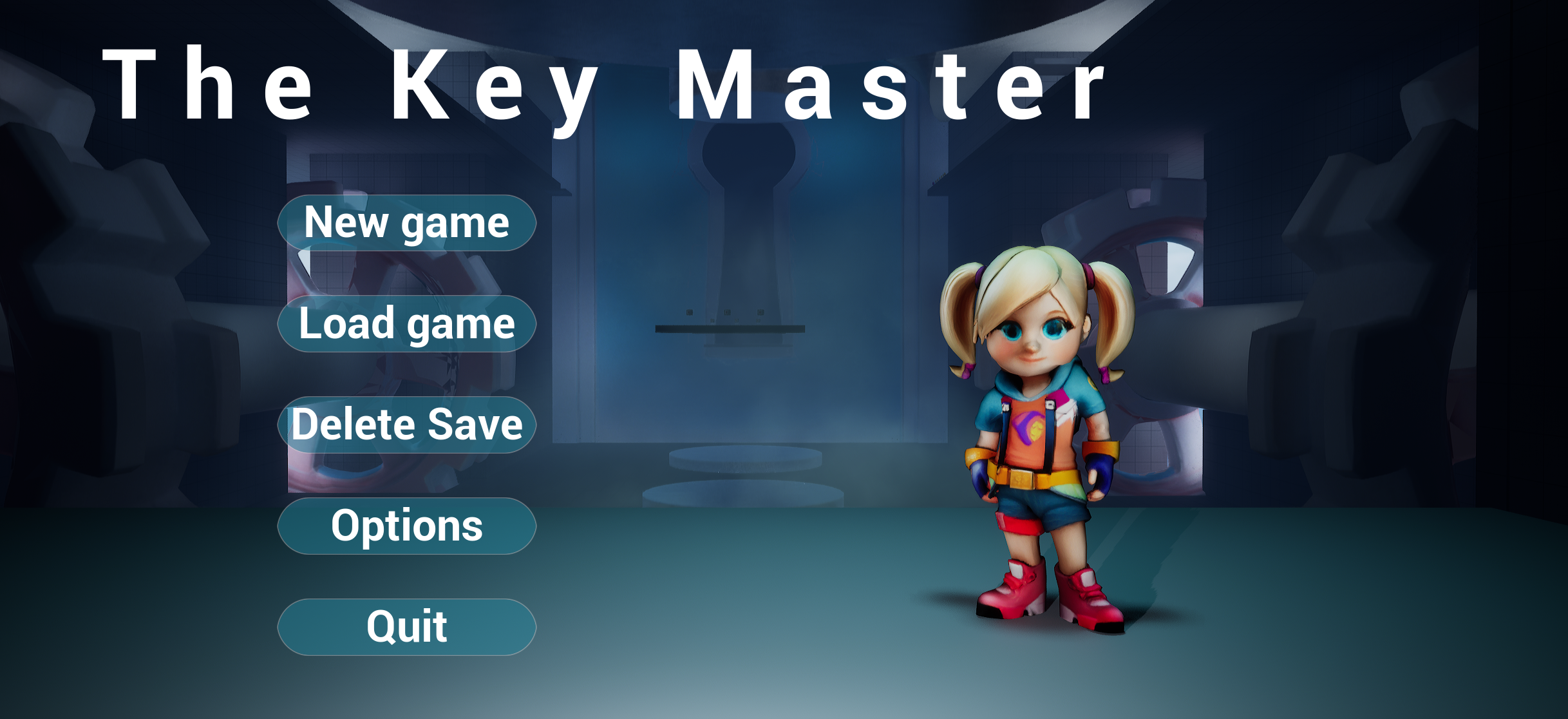
The Keymaster is a 3rd person level Platformer. Character based on my youngest daughter, featuring souls-like combat including slingshot and magic, dialogue, inventory, interactable objects, and many dynamic and diverse levels . Built entirely using Blueprints in Unreal Engine 5.4.
Chess-ter's Challenge (Python Console Chess Game)
A console-based game built with Python. Give my chess bot a game?.
Download Chess-ters ChallengeSnack Man (C++ Console Game)
A console-based game built with C++. Snack Man is a fun, interactive take on the classic Pac-Man game, featuring basic movement and object collection mechanics. Can You Collect All The "O"s?
Download SnackManSkills
- HTML & CSS
- JavaScript
- C++
- SQL
- Python
- Unreal Engine (Blueprints & C++)